Bulk price updates
Update product prices in bulk from supplier price lists or websites.
Supplier price list.xlsx
| Product | Old price | New price |
|---|---|---|
| Ethiopia coffee · 250 g | $8.50 | $9.00 |
| Espresso Blend · 1 kg | $24.00 | $26.00 |
Connect your store to ChatGPT, Claude or Cursor with the AI Admin MCP server for OpenCart. Manage products, orders, customers and content in your AI assistant’s familiar chat.
Works with
Prepare your own AI prompts in advance or simply describe a task in chat — your assistant will choose the right tools and carry it out. The possibilities of AI Admin are limited only by your imagination.
Update product prices in bulk from supplier price lists or websites.
| Product | Old price | New price |
|---|---|---|
| Ethiopia coffee · 250 g | $8.50 | $9.00 |
| Espresso Blend · 1 kg | $24.00 | $26.00 |
Process orders in your AI assistant’s familiar chat, on your computer or in the app.
Build reports to understand performance and grow sales. Schedule a report for the current day at 20:00 every day, a weekly report on Fridays, and a monthly report on the last day of each month.
Reply to reviews and stay in touch with customers through email campaigns.
Optimize pages for search and add fresh content for products, categories and your blog.
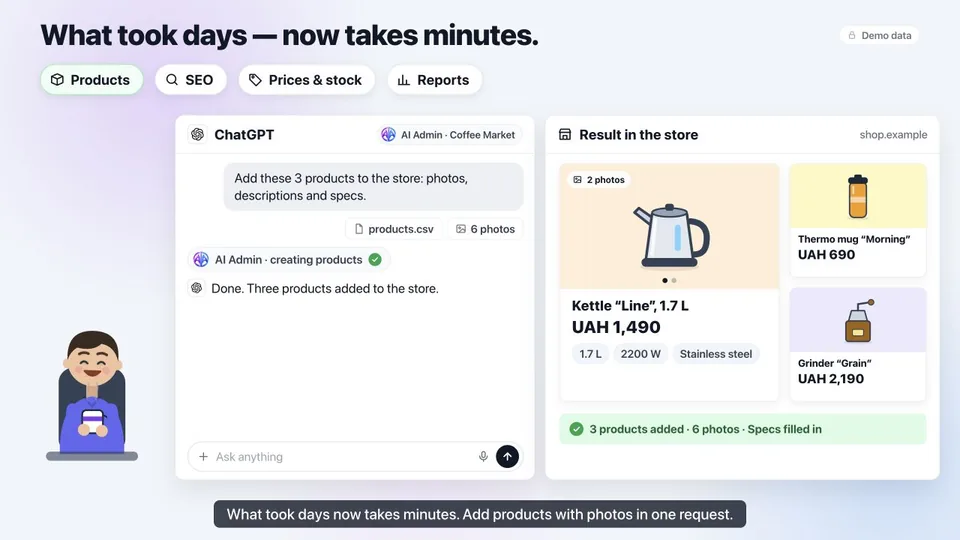
Ask AI to find, upload and adapt images for products, articles and other store pages.
Plan marketing emails and communicate with customers with the help of your ChatGPT.
Import all product data into your store from CSV and Excel. Export your store’s catalog and reports to files.
Your ChatGPT or Claude works only with store data you allow. You decide what it can read, what it can edit and where it has full access.
The assistant connects through OAuth, so you never share your password and can revoke access at any time.
Passwords, API keys and tokens are protected, and AI cannot access them.
Get started quickly with a preset access profile: Safe, Recommended or Full.
Choose exactly which fields AI can read, which it can edit and where it has full access.
All Claude actions are recorded in a log. You can check what it did and where at any time.
Require confirmation so ChatGPT makes changes only after your approval.
The rollback system lets you undo any AI action with a single click.
AI Admin works on any hosting. No separate MCP server is needed.
Explore the tabs and try the controls using an example store.
No developers, no server access. It is quick, easy and requires no special skills.
Upload it in Extensions → Installer, like any other module.
Paste the link into Claude, ChatGPT or Cursor and sign in with OAuth.
Choose an access profile and set which data AI can read and change.
No subscription or monthly fees. One license per domain.
A free version for reading your store’s data.Activation code:
The full version for editing, adding and deleting your store’s data.
Create your own modules. Coming soon.
Prices in USD. The amount in UAH is calculated at the current exchange rate at the time of payment.
Didn’t find yours? Write to us.
Model Context Protocol — an open standard that lets AI assistants connect to external tools and data. AI Admin is a bridge between your OpenCart store and ChatGPT, Claude, DeepSeek or another AI. The assistant receives only the access level and data you choose to grant.
OpenCart 3.0.2–3.0.5 ocStore 3 OpenCart 4.0.1–4.1 PHP 7.1–8.4
No. You install the .ocmod.zip, enable the module and connect it to your AI. Then chat with it as usual.
Clients that support MCP connectors, including: Cursor, ChatGPT, Copilot, Perplexity, Claude, DeepSeek, LM Studio, Qwen, Claude Code, Mistral Le Chat.
Start with the Safe access profile. In manage mode, prices and statuses change only after you confirm, and every change gets a number you can roll back with one sentence.
Only the data you grant access to. Passwords and tokens are never read, and text from visitors is treated as data, never as commands.
No. AI Admin is a one-time license: you pay $49 once per store and keep using it. No monthly fees.
Install the module, connect your assistant and give it its first task today.
One-time license · No subscription